Fast. Direct.
Under your control.
Everything FileJet does to move large files and folders between people – quickly, safely and without a cloud in between.
Workspaces on your own storage
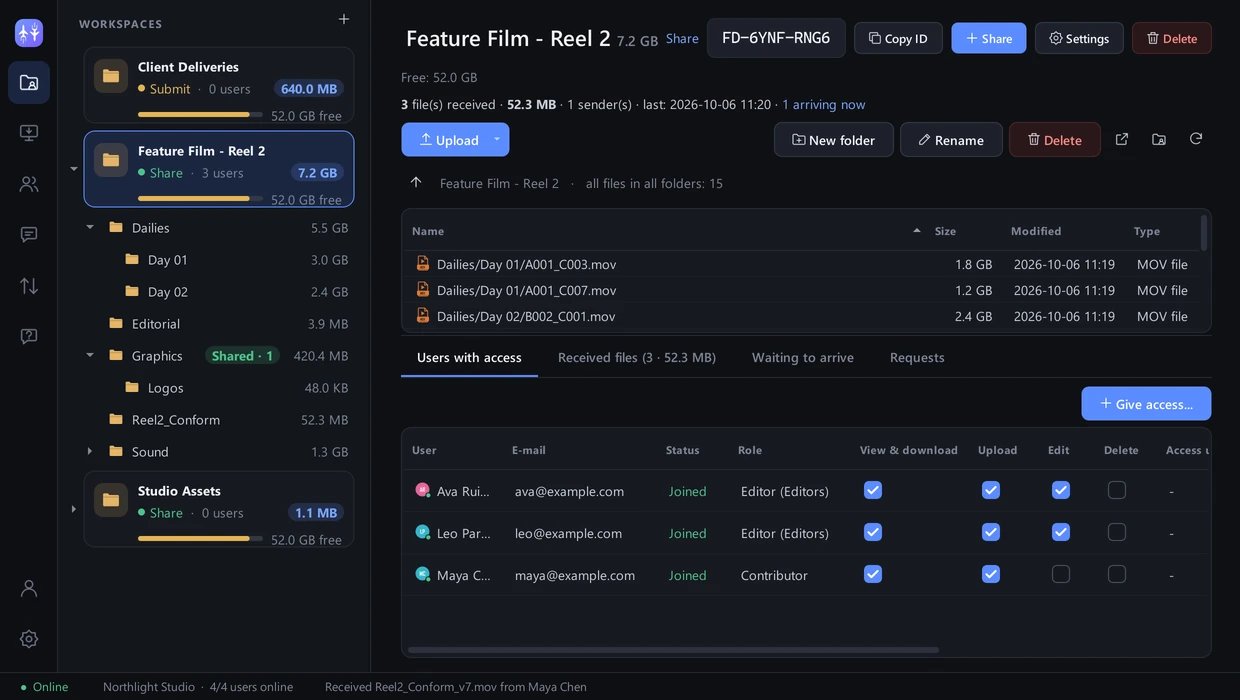
Turn any folder on your PC, external drive or NAS into a workspace. Organise it as a folder tree, upload files or whole folders, and see every file of the workspace in one list.
- Workspace cards with size, people and free drive space at a glance
- Folder tree: create folders inside folders, rename, delete, upload in one click
- Share workspaces and Submit (drop-box) workspaces
- Received-files log and “arriving now” with live speed and time left
Share the whole workspace – or just one folder
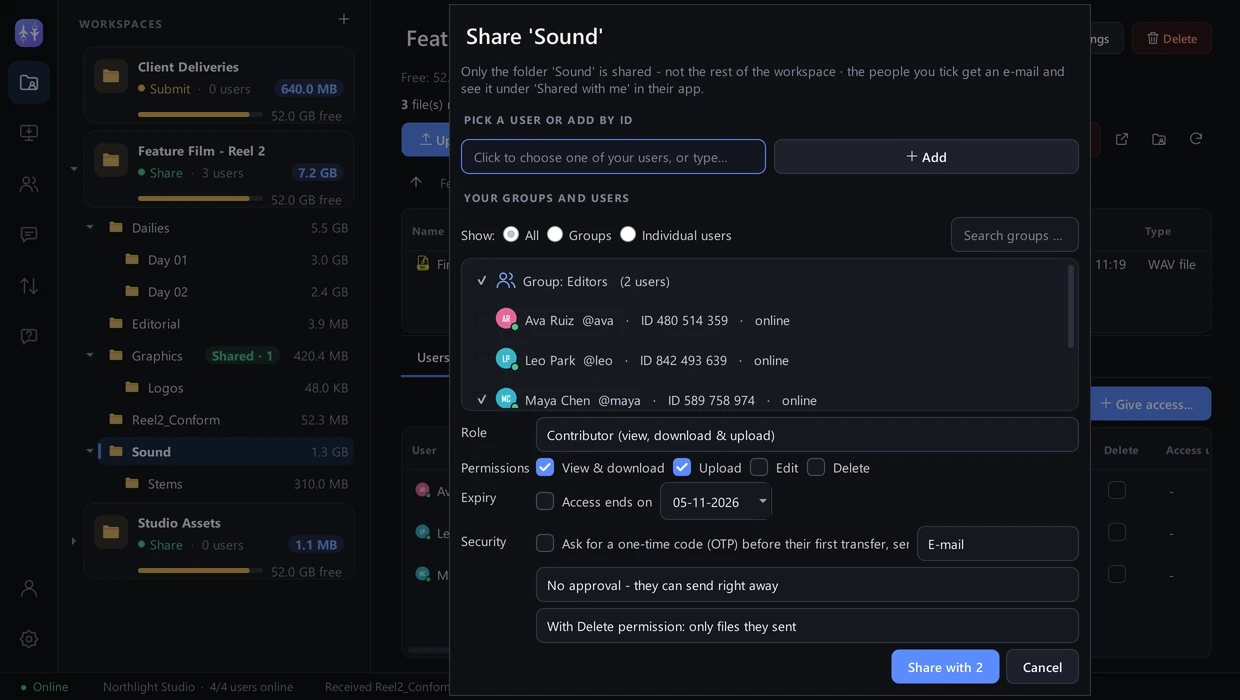
Pick a folder in the tree and share only that folder: it stays where it is, nothing is copied, and the people you choose see that folder alone. Pick your users or groups from one list.
- Share one folder of a workspace without creating anything new
- Pick people and groups from a drop-down – add new people by their ID
- Stop sharing any time – the folder and its files stay
- Invitation e-mails, one-time codes and upload approval
Everyone gets exactly the access they need
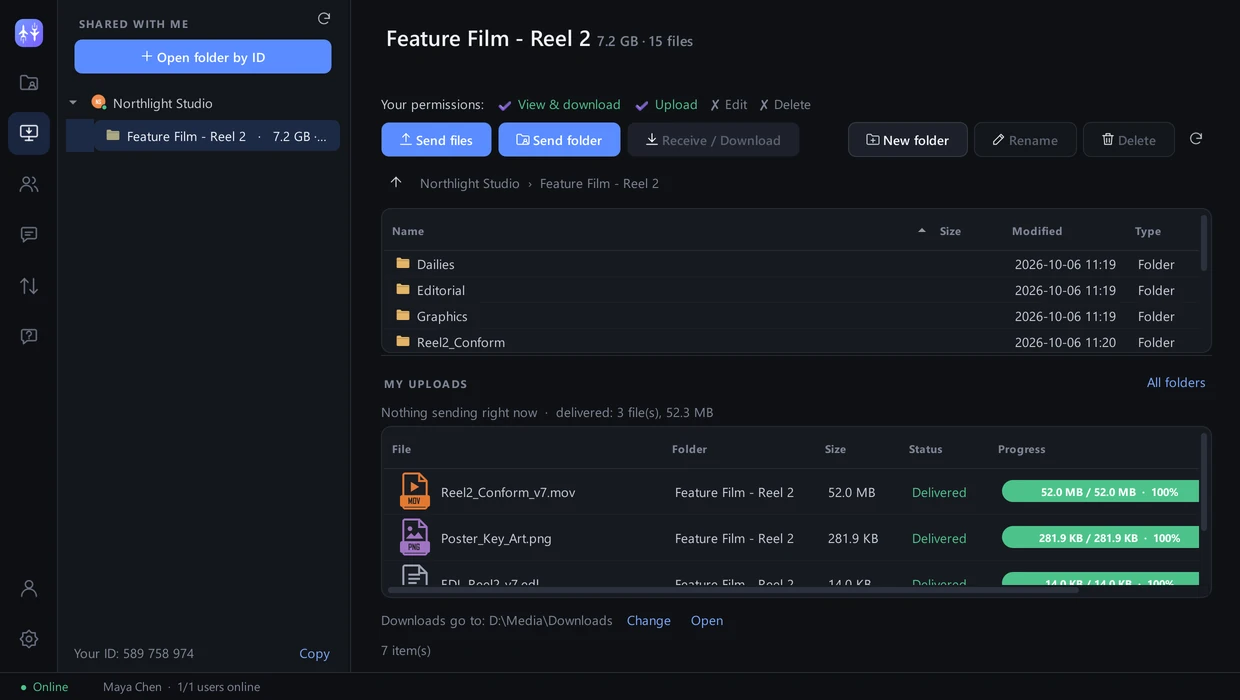
Decide per person and per folder. Every request is checked by the owner’s app – changes apply instantly, even to running transfers.
- View & download · Upload · Edit · Delete – download only when you allow it
- Roles: Uploader, Viewer, Contributor (view, download & upload), Editor, Manager – or custom
- Groups get exactly the permissions you tick, with access expiry
- Rules: allowed file types, maximum size, required form fields
Fast, verified and unstoppable
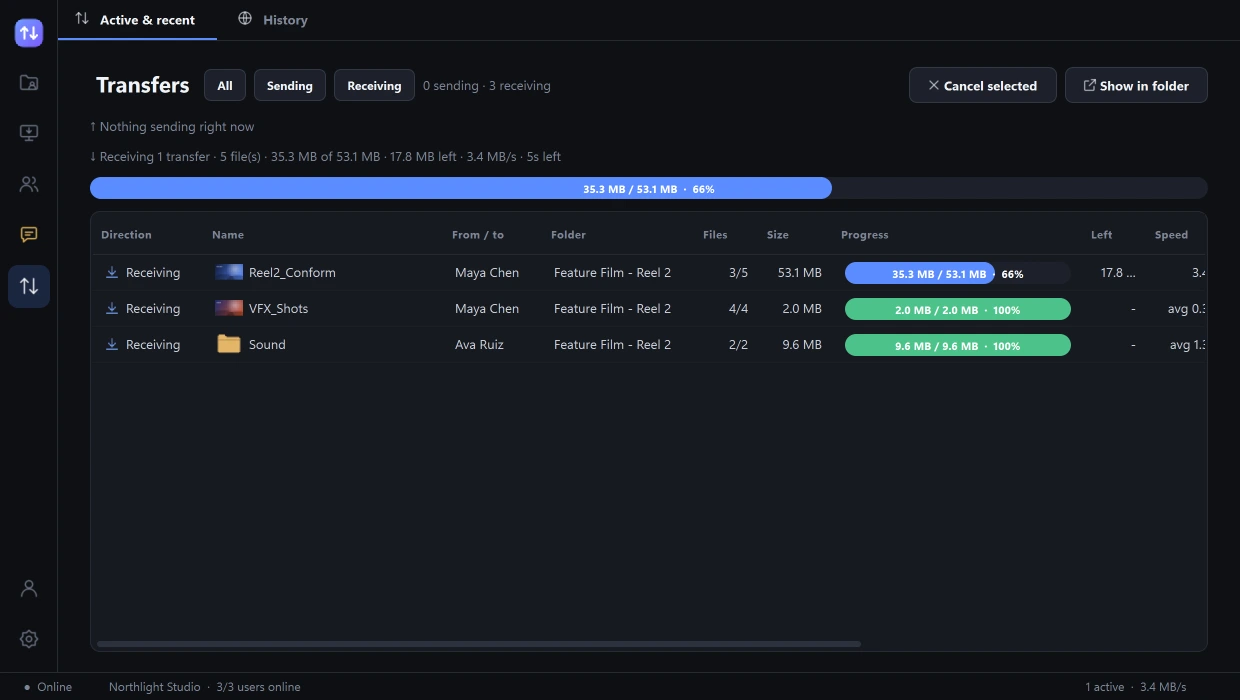
Files are split into chunks and sent over several encrypted streams at once. Every chunk is verified before it counts.
- Automatic resume after network or power loss
- Outbox: send now, delivered when the recipient is online
- Sending and receiving progress with sizes and time left
- Works in the office and across the internet (UPnP, STUN, hole punching)
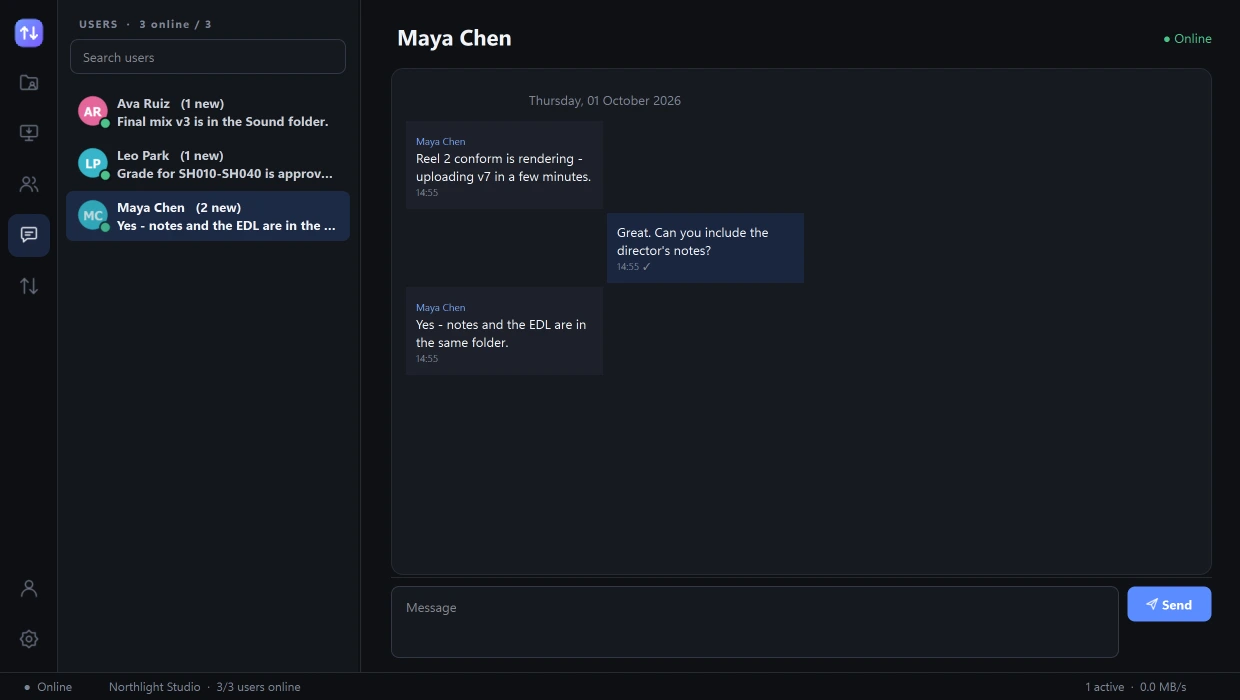
Online status and chat, next to your files
See who is available and talk about the work without switching apps.
- Online / offline status for everyone you work with
- End-to-end encrypted messages with delivered and read ticks
- Messages to offline people are delivered when they come back
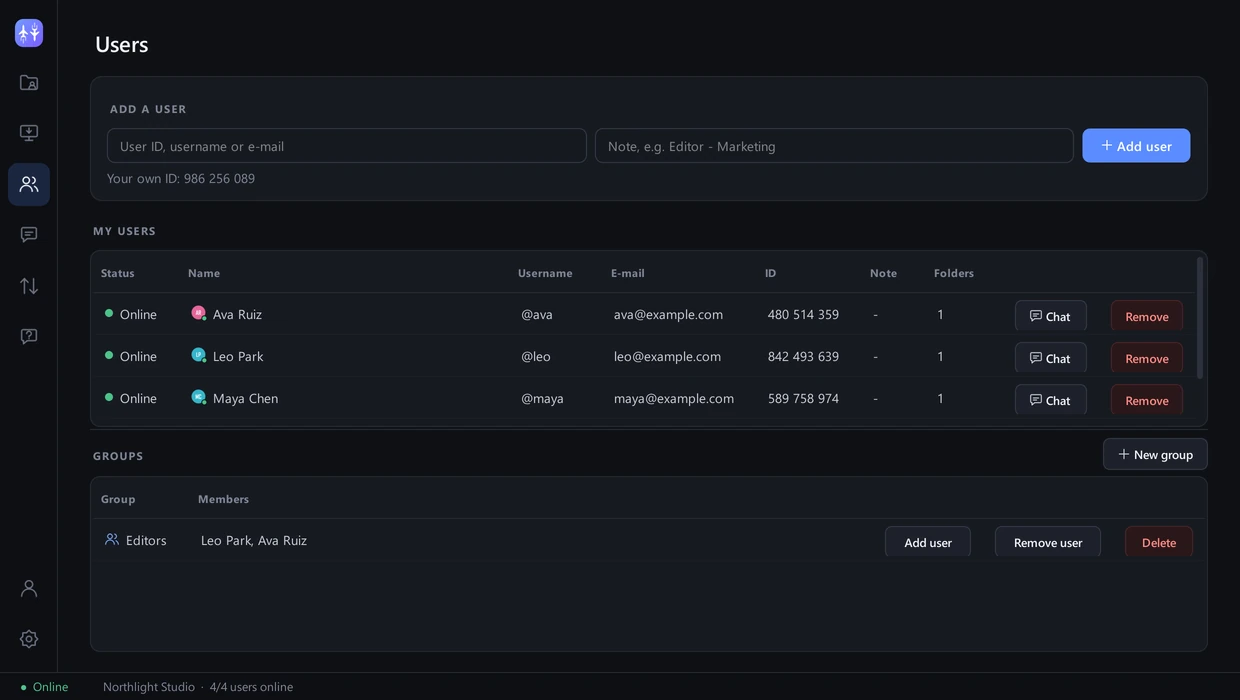
Your people, organised
Add teammates by their ID, group them, and give a whole group access to a folder in one step.
- Add by 9-digit ID, username or e-mail
- Groups such as Editors, Colorists or Clients
- One click to chat with anyone
Private by design
No cloud storage
Your files are never uploaded to or stored on our servers. The cloud keeps accounts, permissions and transfer metadata only.
Encrypted end to end
TLS 1.3 between the two computers with device certificates, plus end-to-end encrypted control messages and chat.
Verified integrity
SHA-256 on every chunk and the whole file – the received copy is identical to the original.
Windows & Linux
One app for Windows 10/11 and Ubuntu/Debian – share, send, receive and chat.
A workspace you can shape
Resizable panels, keyboard shortcuts and a layout that remembers itself.
Dashboard & API
Manage users and folders and review transfers from any browser – or automate with the REST API.
Try it on your next project
Free to start – upgrade when your team grows.