Move big files of any type.
Directly. At full speed.
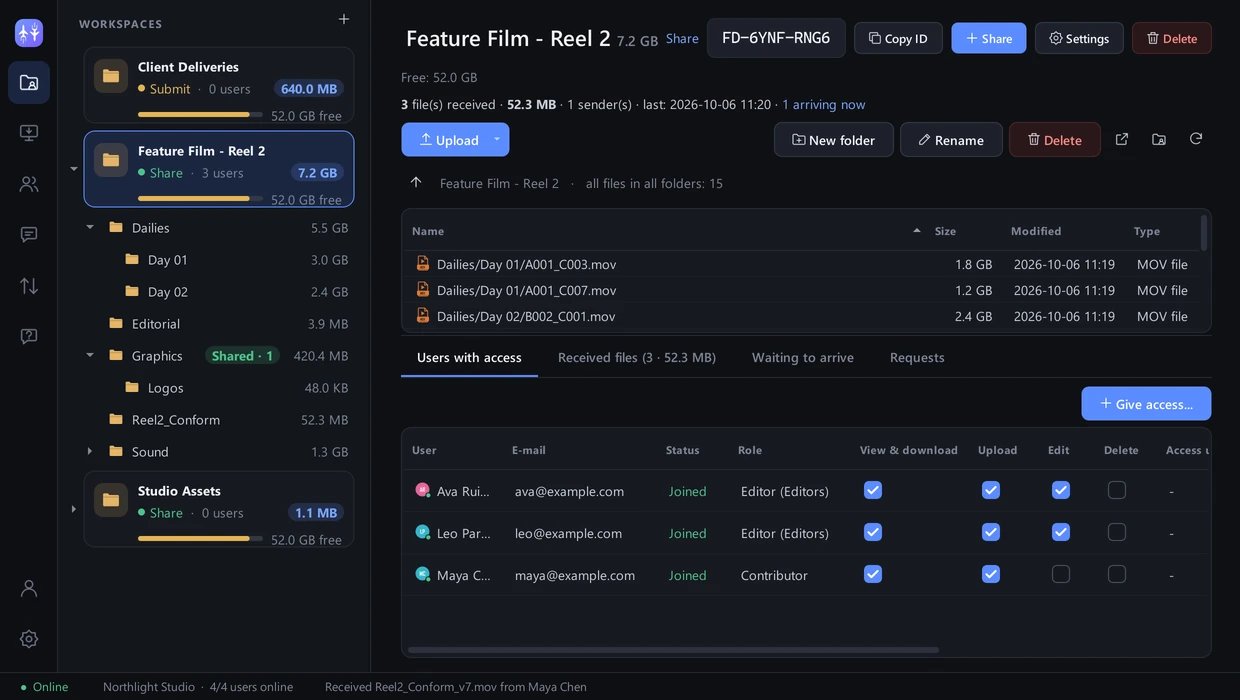
FileJet sends files and whole folders of any size straight from one computer to another – encrypted, resumable and organised in workspaces you share – whole or one folder at a time. No cloud in between.
Everything big files need.
Nothing they don’t.
Built for speed
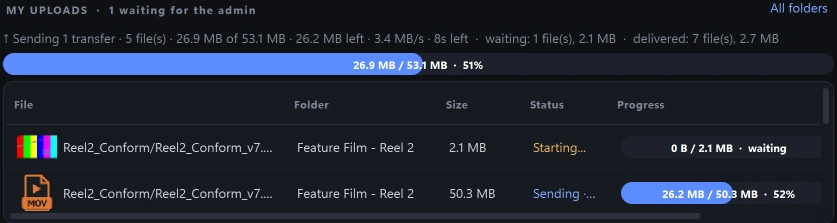
Parallel encrypted streams use your full connection. Live sizes, speed and time left on both sides.

stored on our servers
Files go computer to computer. Our cloud only knows names, sizes and status.
Never start over
Network drop, sleeping laptop, power cut – transfers resume from the last verified chunk.
Access exactly as you decide
View & download, Upload, Edit, Delete – per person, per folder, effective instantly.

Your team, online
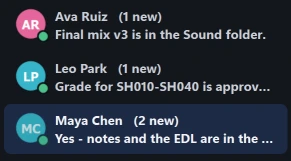
See who is available and chat right next to your files – end-to-end encrypted.
Every delivery on record
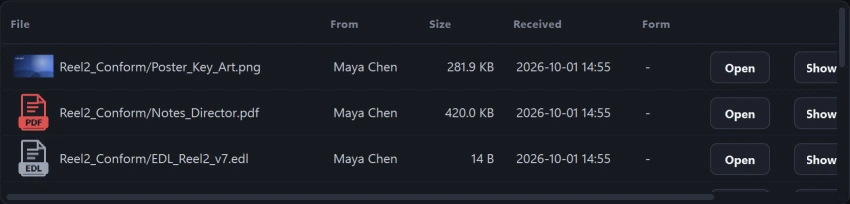
Who sent what, when and how big – with thumbnails for images and videos.
One app for sharing, sending
and receiving
Make any folder on your PC or NAS a workspace, organise it as a folder tree and share it – or just one folder in it.
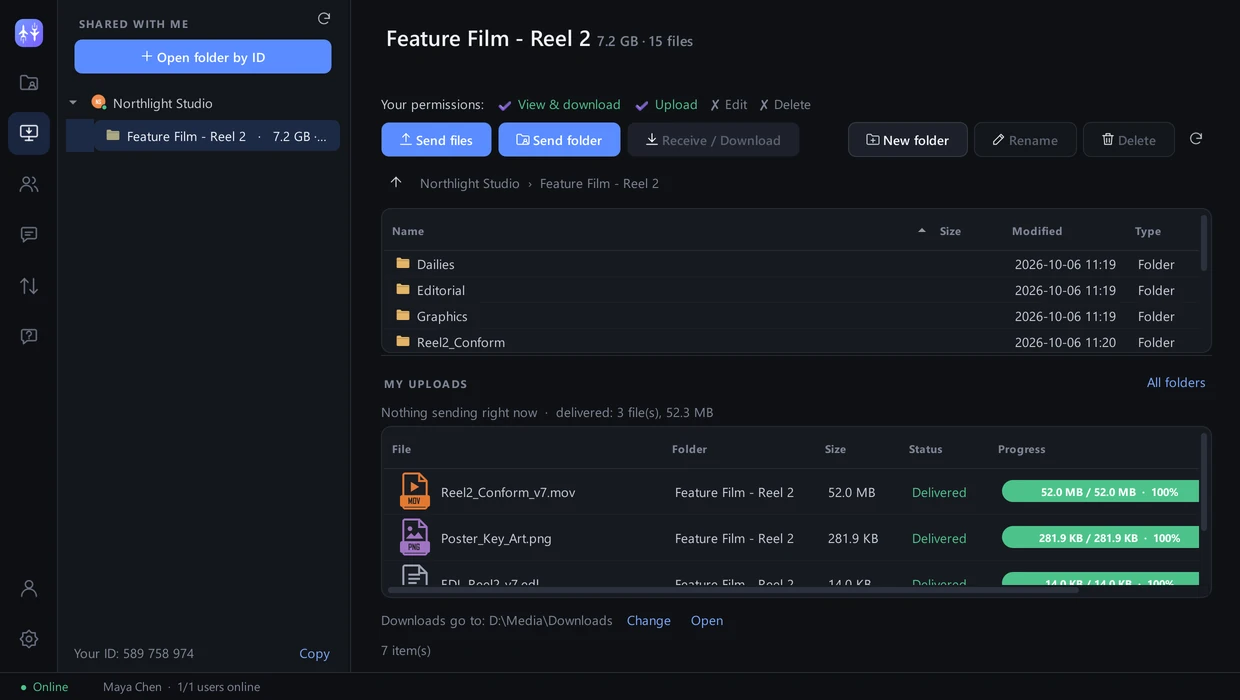
See the folders shared with you and work in them exactly as permitted – send files, download, edit.
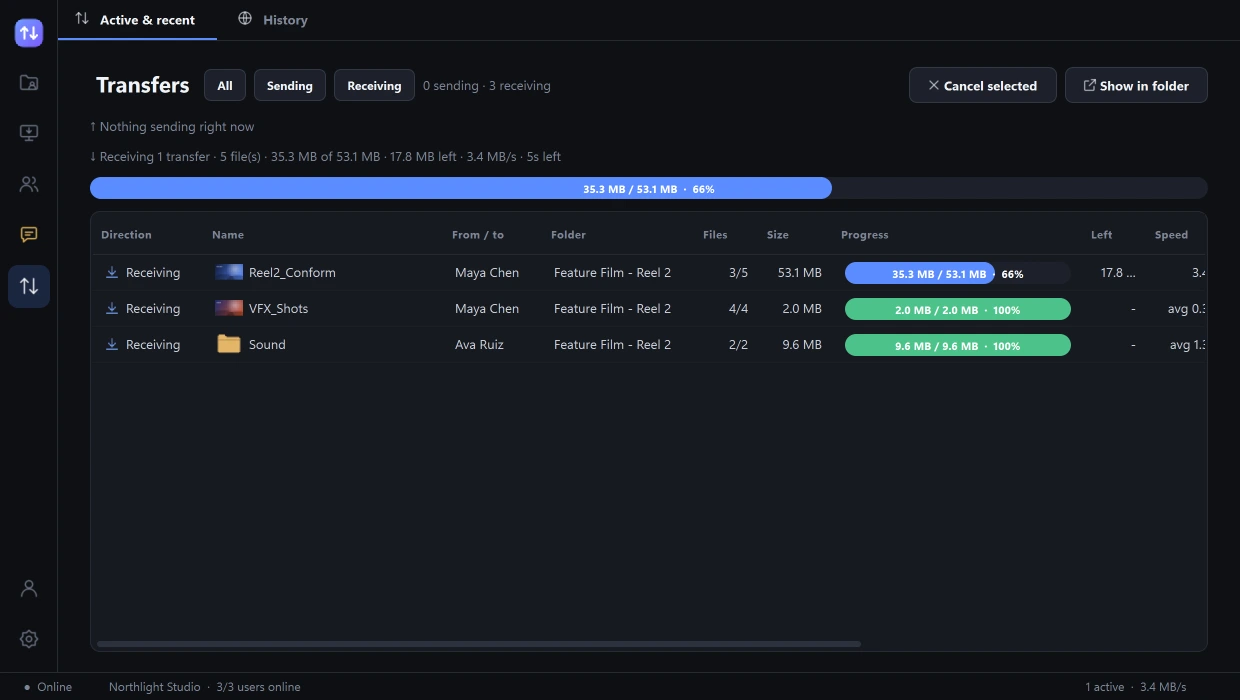
Every transfer in one place: sending and receiving, sizes, speed, time left and history.
Share
A project folder the team works in together – each person with their own rights.
Submit
A drop box for deliveries. People send in, without seeing what’s inside. Optional type, size and form rules.
Send anytime
Recipient offline? Files wait on your computer and arrive automatically when they’re back.
Replace upload links, FTP
and cloud drives
For files that are too big, too important or too urgent for the usual tools.
Speed
Parallel streams, large chunks, no detour through a cloud.
Integrity
SHA-256 on every chunk – the copy is identical, guaranteed.
Encryption
TLS 1.3 between devices and end-to-end encrypted chat.
Any size, any type
Documents, videos, design and CAD files, databases, backups – single files or whole folder trees.
Teams
Roles, groups, expiry and invitation e-mails.
Rules
Accept only the file types and sizes you want, ask for metadata.
Dashboard & API
Web dashboard with history and statistics, plus a REST API.
Anywhere
Office, home or on location – Windows and Linux.
Running in three minutes
Install & sign up
Download FileJet for Windows or Linux and create your free account.
Invite & share
Add teammates by their ID, share a folder and choose what each may do.
Send
Drop in files or folders – they travel directly, encrypted, and resume if interrupted.
Start free. Scale when you grow.
Simple plans for individuals, studios and large teams.
Free
Try it out: 10 GB of transfers per month.
- File size
- 10 GB
- Transfer volume / month
- 10 GB
- Users
- 5
- Shared folders
- 3
Pro
Studios and teams: unlimited file size.
- File size
- Unlimited
- Transfer volume / month
- 5 TB
- Users
- 100
- Shared folders
- 50
Business
Unlimited users, folders and volume.
- File size
- Unlimited
- Transfer volume / month
- Unlimited
- Users
- Unlimited
- Shared folders
- Unlimited
All plans: direct encrypted transfers · resume · shared folders with permissions · chat · web dashboard
Questions, answered
Where are my files stored?
Only on your own computers and storage. FileJet sends files directly between the two computers; our servers handle sign-in, permissions and transfer status only.
Is there a file size limit?
No limit on Pro and Business. The Free plan allows files up to 20 GB.
What if the connection drops during a transfer?
FileJet resumes automatically from the last verified chunk when the connection is back – also after a restart.
Can I send to someone who is offline?
Yes. Files wait in your outbox and are delivered automatically as soon as the folder owner comes online.
Which systems are supported?
Windows 10/11 and Ubuntu/Debian Linux (64-bit). The web dashboard works in any modern browser.
Stop waiting for uploads.
Send your next big project directly. It’s free to start.